From Basics to Best Practices: Introduction to Research Repositories
Learn more about the underlying concepts, potential, and strategic approaches to selecting the ideal research repository for your organization



TL;DR: Every tool in this comparison is built for researchers, but they differ in scope and how they incorporate AI. Condens, Dovetail, Marvin, Looppanel, and Aurelius focus on analysis and the research repository, and connect to the tools you already use for calls, recruiting, and testing. Great Question, Fred, and UserTesting’s Insights Hub (formerly EnjoyHQ) bundle a repository into a broader platform built around recruiting or testing. Within both groups, some tools automate most of the analysis, while others use AI to speed up work the researcher still reviews. The right fit depends on which trade-offs matter more to your team.
&Tool | Pricing model | Stakeholder access | Security & data privacy | Customer support below enterprise |
|---|---|---|---|---|
Condens | Lite: €15/month | Unlimited free viewers (Business+), public links, Insights Magazine, AI search on published insights, Slack/Teams AI (Business add-on), MCP (Business+) | SOC 2 Type II · GDPR · APA · CCPA · No AI training on data · 2FA (Business+) · SSO & HIPAA: Business add-on, included on Enterprise | Personal human support + help center (all plans) · Guided onboarding & data migration (Business) |
Dovetail | Free: $0 | Unlimited viewers (Enterprise only), no viewer role for Free plan, public links, Slack/Team queries, permissions (Enterprise), MCP | SOC 2 Type II · GDPR · 2FA (all plans) · SSO (Enterprise) · HIPAA: paid add-on · No AI training on data | Help center & chatbot |
Marvin (HeyMarvin) | Free: $0 | Viewers: 0 (Free), 50 (Starter), 100 (Pro), unlimited (Enterprise) | SOC 2 Type II · GDPR · MFA (all plans) · HIPAA (Pro add-on or Enterprise) · Data may train LLMs unless you opt out at sign-up | Help center (All plans) · 1 onboarding session (Starter) · Limited onboarding (Pro) |
Looppanel | Solo: $49/month | Unlimited viewers (all plans) · Public clip & report links · Ask AI, global search, MCP beta (Pro+) · Stakeholder repository, Slack, access control (Enterprise) | SOC 2 Type II · GDPR · No AI training on data · SSO, HIPAA (Enterprise) | Chat & email support · One-time onboarding (Pro) |
Aurelius | Professional: $49/month | Unlimited users (all plans) · Read-only roles (Enterprise only) · Reports via live link · No-login Collections links (Premium) · Slack via Zapier only · No AI search | US-only hosting · SSO (Enterprise) | Help center, email, in-app chat |
Great Question | Self-serve: $129/month | Unlimited free observers (all plans) · Share links & highlight reels · Ask AI, MCP, access control (Enterprise) | SOC 2 Type II · GDPR, CCPA · SSO, retention rules (Enterprise) · HIPAA: Enterprise add-on · No AI training on data | Help center, email, in-app chat |
Stravito | Not publicly available | Not publicly available | SOC 2 Type II · GDPR · MFA, encryption · No AI training on data | Not publicly available |
Fred | Start-up: $89/month | No free viewer seats · Live report sharing (Researcher+) · Slack · No Teams or MCP | GDPR · SSO (Enterprise) | Help center |
EnjoyHQ | Bundled into UserTesting platform pricing (quote-based) | Insights Hub: Unlimited read-only viewers · Public/workspace links, PDF, Presenter mode · AI Discovery (UserTesting studies only) | SOC 2 Type 2 · GDPR · HIPAA with BAA (not legacy EnjoyHQ) · SAML SSO · No AI training by third-party providers (but may be used to train its own features) | Not publicly available |
Dedicated research repositories typically offer deeper analysis workflows and product roadmaps shaped more closely by researchers’ needs. You also won’t need to pay for modules like recruiting or testing when you don’t use them.
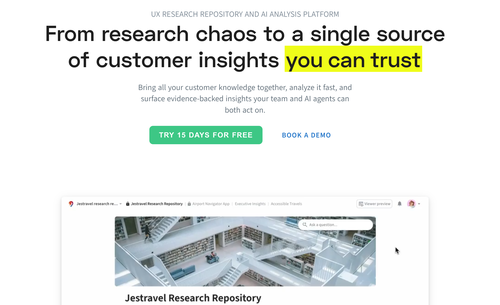
Condens is a repository and analysis platform for UX research with AI-powered capabilities. You can import recordings, transcripts, notes, images, and survey data, highlight and tag the important parts, then cluster those highlights into themes and insights. Condens also offers unlimited multilingual transcription, projects, and file storage across every tier.
Where it shines: Condens is built around a split-screen interface, enabling a flexible workflow that isn’t restricted to working with one project at a time.
Findings come together in the Insights Magazine, a space researchers curate to turn individual insights into one clear story for stakeholders. Magazines can be organized by product, team, research area, or region, and access permissions make sure sensitive findings reach only the right audience. Stakeholders can then find insights on their own by asking AI in Condens, Slack, or Microsoft Teams, or through AI assistants and agents connected via MCP.
Condens also helps teams protect participant privacy without losing the details that make research valuable. Automatically blur faces, anonymize voices, and redact names and other sensitive information across text, audio, and video, so you can confidently store and share evidence knowing it’s handled in line with the most up-to-date privacy regulations.
Where it stops: Condens is not an end-to-end research operations or testing suite. It does not fully automate the research workflow by design so that researchers stay in the driver’s seat of their research.
Pricing: Lite from €15/contributor month (€165/year, one month free). Business: €500/month paid yearly (€6,000/year) for five contributors, including unlimited viewers. Enterprise is custom pricing and includes a minimum of five contributors. 15-day free trial, no credit card. There is no free plan.
Dovetail is one of the most established and recognizable names in this category.
Where it shines: It is the most feature-complete option for high volumes of qualitative data across many studies. The Magic AI suite handles automatic tagging, sentiment analysis, and theme detection, and users can search across everything stored.
Where it stops: Dovetail provides a mature stakeholder portal, but opinions are split on how easy it is to navigate, and how flexible its workflow is. Its expansion into broader product areas has drawn focus away from research-specific capabilities. Pricing is another barrier: with only a limited Free tier and a quote-based Enterprise tier, there’s no middle option for growing teams. One customer who switched from Dovetail to Condens cited lacking support responsiveness as a key reason for leaving.
„We wanted to have the feeling that we were being listened to and that there was time for us.“

Pricing: Free tier ($0, no card required) covering one channel, one project, single-project Chat and AI summaries, one dashboard. Enterprise tier (custom pricing, billed in USD): unlimited agents, channels, projects, and docs, plus a paid HIPAA add-on.
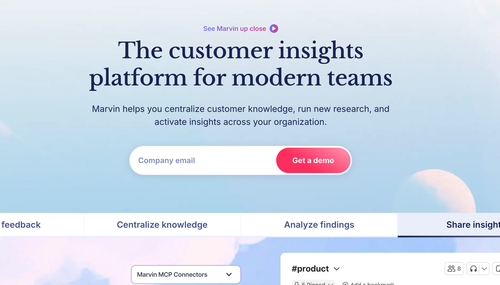
Marvin positions itself as an AI-native customer insights platform with agentic AI search and an AI-moderated interviewer.
Where it shines: Marvin is known for supporting fast AI analysis and running AI-moderated interviews. Their free tier’s feature offering is generous and includes AI summaries, basic repository functionality, and note templates, which makes it easy to test.
Where it stops: The free plan is capped at 5 file uploads a month, all paid tiers require talking to sales, and the affinity board is fairly weak. Marvin’s automation of much of the research process makes analysis faster, but also makes it more prone to hallucinations (this is inherent to the technology rather than a bug), and harder to trace where insights come from.
Pricing: Free plan with 2 seats. Starter, Pro, and Enterprise are all quote-only with no prices published.
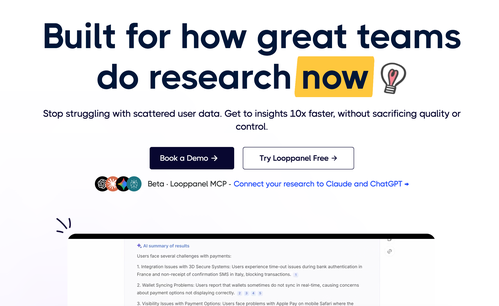
Where it shines: Speed is Looppanel’s greatest strength. Looppanel processes Zoom and Google Meet recordings automatically, auto-tags transcripts, and makes clip sharing fast. Its transcription quality is also reportedly high in reviews.
Where it stops: Stakeholder-facing repository features are more basic compared to Condens or Dovetail. If you need product managers and executives browsing a curated insights library on their own, you’re likely to feel the gap.
Pricing: Solo is $49/month. Pro is $395/month, or $4,200/year with 5 editors included and additional editors at $75/month up to a maximum of 10. Enterprise is quote-only and includes 10 editors.
Aurelius is one of the older tools in the category and is laser-focused on organizing and analyzing qualitative feedback.
Where it shines: A searchable archive built for reuse, with structured coding and methodological rigor as the organizing principle. It also supports bulk tagging and automated report generation.
Where it stops: The interface is reportedly outdated. Some reviewers describe an awkward transcript view, and the analysis workflow as being less refined than the retrieval side.
Pricing: Professional is $49/month aimed at solo and agency researchers; Premium is $199/month billed yearly, aimed at in-house teams. Enterprise is quote-only.
The natural benefit of platforms where the repository is part of a larger whole is that many applications are available inside one tool. But that can also mean that the repository isn’t the part the vendor is optimizing for, and it’s possible it will compete for roadmap attention with other modules like recruiting, testing, and distribution.
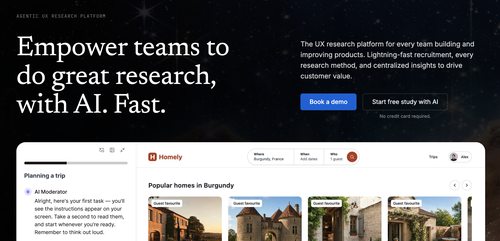
Great Question covers the full research lifecycle, combining participant recruitment, scheduling, recording, note-taking, and a lightweight repository.
Where it shines: If you currently pay separately for a recruiting tool, a testing tool, and a repository, this collapses them into one vendor and one contract. Governance is granular, by team, study type, sensitivity tier, internal versus external participant, with HIPAA compliance available for regulated industries.
Where it stops: If you don’t end up using everything in the platform, you’re paying for things you don’t use. Breadth of modules also tends to come at the cost of some parts of the tool working better than others. A team we spoke with that uses Great Question shared that it’s a great recruitment tool, but its analysis and repository capabilities aren’t their strongest suits.
Pricing: Self-serve is $129 per seat/month capped at 5 seats, with unlimited observer seats. Enterprise is custom-quoted, annual only, with a 5-seat minimum and unlimited observers and seats.
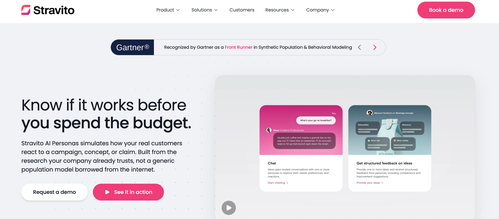
Stravito positions itself as a customer intelligence platform and highlights its knowledge management capabilities for market research and user research.
Where it shines: It centralizes market research reports, decks, and studies into a searchable library with multilingual search, automatic categorization, and role-based permissions. It also offers a generous list of integrations and can be a comfortable fit for organizations where insights span syndicated market research and agency decks as much as user interview transcripts.
Where it stops: Stravito is stronger at solving the problem of discovering unused data than supporting data analysis. Qualitative analysis isn’t the focus of the product, as it’s not designed for in-platform analysis workflows, including coding transcripts, building affinity maps, or synthesizing a study.
Pricing: Not publicly shared.
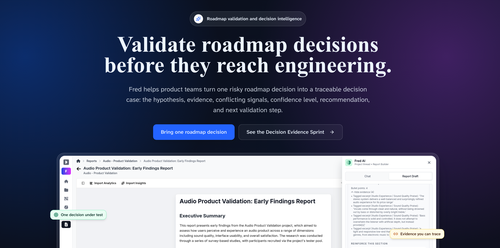
Fred is a user research platform that covers most of the common testing methods in a single workspace.
Where it shines: Fred covers a lot of ground as a user research platform by supporting a variety of methods including surveys, card sorting, tree testing, and unmoderated usability testing. If you currently run card sorts in one product, surveys in another, and keep findings in a third, Fred collapses that into one workspace.
Where it stops: Many synthesis features are gated until the Team tier, including thematic analysis and AI-assisted summaries and insights. The plan limits are also a little restrictive, as the Start-up plan allows 1 project and 1 study per project, and the Researcher plan allows 5 projects and 10 studies each.
Pricing: Fred’s pricing plans include Start-up at $89/month, Researcher at $299/month, Team at $699/month, and Enterprise at custom pricing.
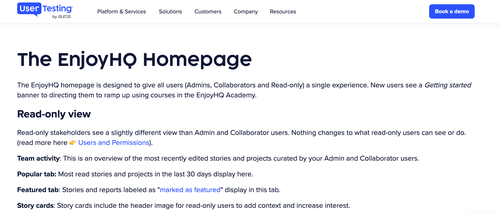
EnjoyHQ was one of the original research repositories. It was acquired by UserZoom, which was in turn acquired by UserTesting, and the standalone product has since been retired. The capability lives on as Insights Hub inside the UserTesting platform, which is what you would actually be buying today.
Where it shines: Its real advantage is adjacency: if you already run moderated and unmoderated testing through UserTesting, the repository sits next to your session recordings, participant network, and analytics rather than in a separate tool.
Where it stops: It can’t be purchased as a standalone product, so if a repository is all you need, this is the most expensive way on this list to get one. Furthermore, the roadmap now serves a merged platform, not a repository. During consolidation, UserTesting described simplifying and consolidating EnjoyHQ features. Product decisions are now made for a three-product suite in which the repository is one component competing for attention and isn’t as regularly updated or maintained.
Pricing: Bundled into UserTesting platform pricing; quote-based.
In addition to factors like the tool’s feature set, customer support, and security policies, you should also take your team size into consideration to help you choose which pricing model works best for your needs. We’ve outlined a few situations below, from solo researchers to large teams with enterprise governance requirements.
There are several sensibly priced tools for individuals and small teams.
Condens Lite is €15 per contributor per month and includes unlimited projects and file uploads, unlimited automated transcription, the full analysis features, basic integrations like Zoom, and unlimited read-only sharing, which makes it both an affordable yet robust research repository option. Aurelius’ Professional plan can also be a good option at $49 per month billed yearly and offers unlimited users, projects and storage and is explicitly aimed at solo and agency researchers.
This is the hardest bracket to buy for because at this stage you need both analysis depth and stakeholder access, which usually aren’t supported by lower-tier plans.
Mid-tier plans worth shortlisting include:
Condens Business (€500/month billed yearly, five contributors, unlimited viewers, EU or US hosting) if the priority is deep analysis supported by AI with a stakeholder-facing repository attached.
Looppanel Pro ($395/month) fits if most of your work is moderated interviews and speed matters more than a curated library.
Great Question’s self-serve plan ($129 per seat, capped at five) if you’re consolidating recruiting too.
When it comes to meeting enterprise-level requirements, compliance with regulations is as important (if not more so) than any feature comparison, so start with looking at whether they’re compliant with regulations like SOC 2 Type II, GDPR, HIPAA, CCPA, and APA. And also check if they offer SSO, audit logs, data residency, and granular permissions.
Research repositories like Condens meet all these requirements with their Enterprise plans.

Phillis is a Content Marketing Strategist at Condens. As a content creator, she produces both long and short-form content in various formats, from blog articles and social media posts to video snippets. She is passionate about ensuring that her work is high-quality and strives to publish content that is both informative and actionable for the UX research community.
